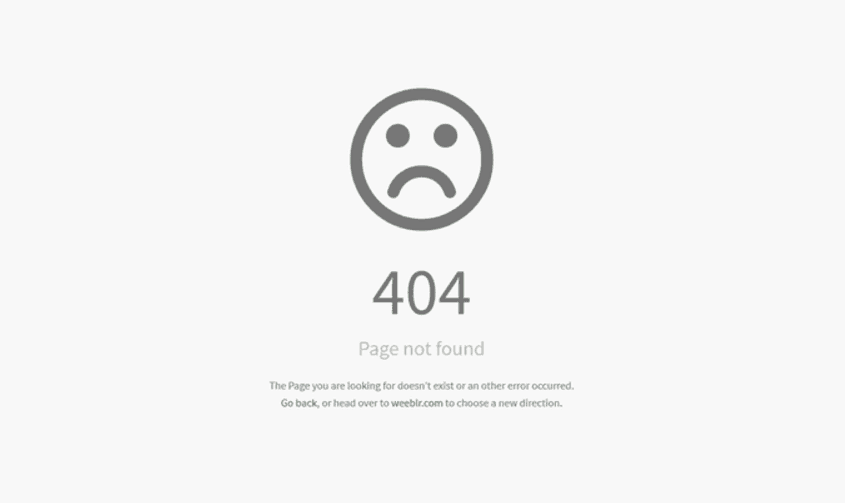
Introduction:
In the digital realm, encountering an error can be frustrating, especially when it’s the notorious Error 404. This error occurs when a requested webpage is not found on the server. However, behind the seemingly discouraging message lies a valuable opportunity for website owners and users alike. In this blog post, we’ll unravel the mystery of Error 404, explore its significance, and provide insights on how to handle it effectively.
The Meaning of Error 404:
Error 404, also known as “Page Not Found,” is an HTTP status code indicating that the requested webpage could not be located on the server. It is a standard response from the server when a URL is mistyped, a page is removed or relocated, or there is a broken link. It is a common occurrence on the web, but it can have significant implications for user experience and website owners’ reputation.
Impact on User Experience:
Encountering an Error 404 page can be frustrating for users who are looking for specific content or information. It disrupts their browsing experience, potentially leading to confusion, dissatisfaction, and ultimately driving them away from the website. A well-designed and informative Error 404 page can help alleviate these negative emotions and guide users back on track.
Turning Error into Opportunity:
An Error 404 page presents an opportunity to engage users and showcase your brand’s personality. Instead of settling for a generic error message, you can create a customized page that reflects your website’s design and tone. Consider including a friendly and informative message, helpful links to popular pages or site navigation, and a search bar to assist users in finding what they were looking for.
Importance of Error 404 Monitoring:
Regularly monitoring and addressing Error 404 occurrences is vital for maintaining a seamless user experience. Broken links, outdated URLs, or removed pages can lead to an influx of 404 errors. By using tools like Google Search Console or website auditing plugins, you can identify these errors and take prompt action to resolve them. Redirecting or updating links ensures users are directed to the correct page or provided with alternative options.
Enhancing SEO with Error 404:
Error 404 pages can impact search engine optimization (SEO) if not handled properly. Search engines interpret excessive 404 errors as a sign of poor website maintenance and may negatively affect your website’s ranking. To mitigate this, consider implementing a custom 404 page that includes relevant links and provides a user-friendly experience. Additionally, using 301 redirects for permanently removed pages helps preserve SEO value by redirecting visitors and search engines to new, relevant content.
User-Friendly Navigation and Sitemaps:
To minimize the occurrence of Error 404 pages, it’s essential to maintain a well-organized website structure and user-friendly navigation. Implement clear and intuitive menus, provide breadcrumbs for easy navigation, and ensure that all internal links are functioning correctly. Creating and regularly updating XML sitemaps also assists search engines in properly indexing your website and reduces the likelihood of encountering 404 errors.
Continuous Website Maintenance:
Regular website maintenance is crucial for preventing and addressing Error 404 pages. Conduct periodic content audits, remove or update outdated pages, and fix broken links. Implementing a process for redirecting pages or setting up custom 404 error pages will help maintain a positive user experience and ensure your website remains up-to-date and error-free.
Conclusion:
Error 404 may be an unwelcome encounter in the digital realm, but it presents an opportunity for website owners to improve user experience and maintain a positive online reputation. By creating custom error pages, monitoring and addressing 404 errors promptly, optimizing SEO, and implementing user-friendly navigation, you can transform the dead end of Error 404 into a stepping stone toward a better website experience.